


Put Your Prop Firm on Your Traders' Phones
Give traders and affiliates an app under your own brand, connected to the CRM you already run. See it on a live demo, or install it and test it yourself.
Book a walkthrough of the mobile app with our team.

Kenmore Design builds your prop firm its own mobile app for iOS and Android, published under your brand and your own store listing. It runs on the same CRM as your Prop Firm Dashboard, so you have no second back office to manage.
Traders start challenges, follow their objectives, join competitions and request payouts in the app. Your affiliates share their referral link and track commissions from it. Push notifications and biometric login are included.
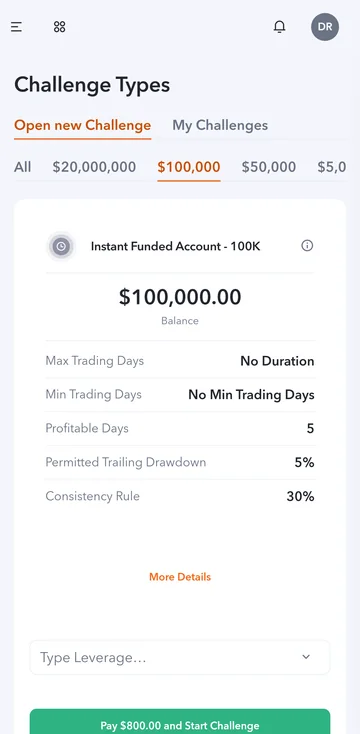
Traders browse your challenges, compare the rules and start one from their phone, at the moment they decide.
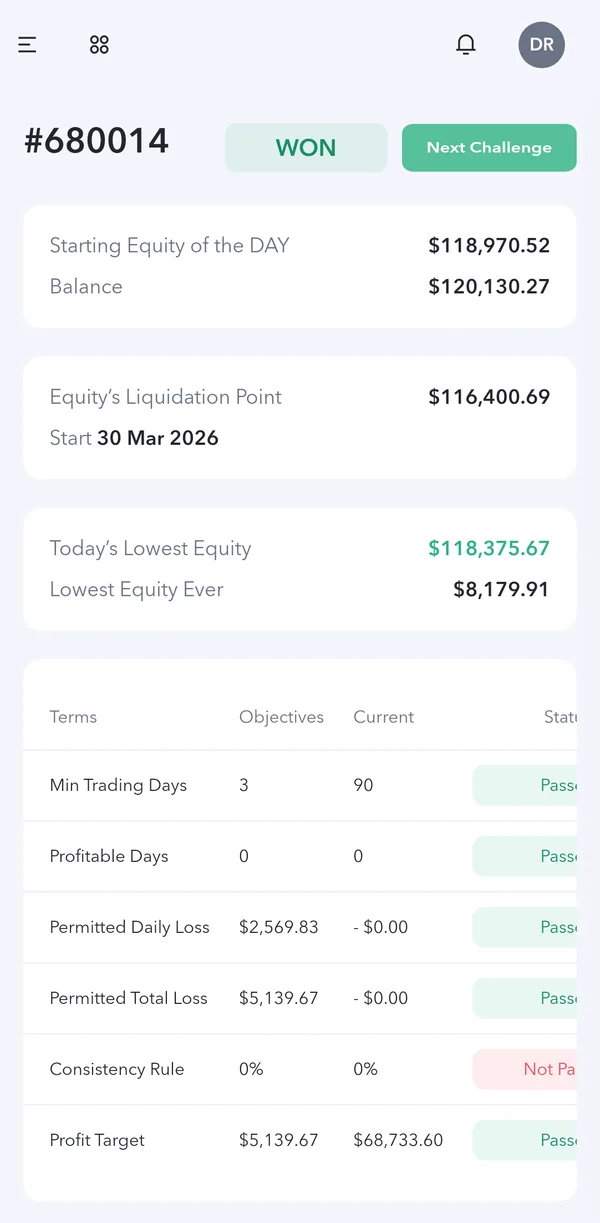
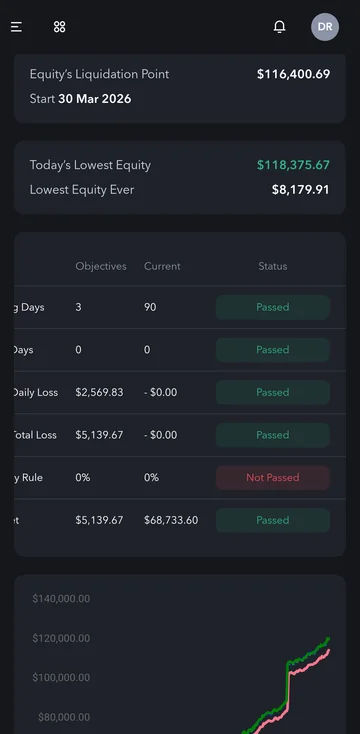
Objectives, equity and loss limits sit on the challenge screen, so traders come back each trading day to see where they stand.
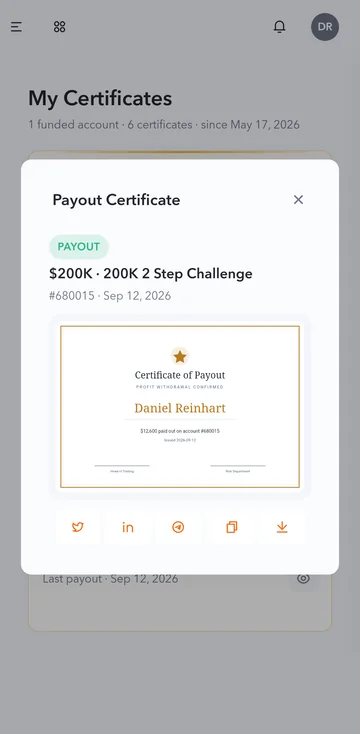
Every funded account and every payout gives the trader a certificate in their name to share on social media.
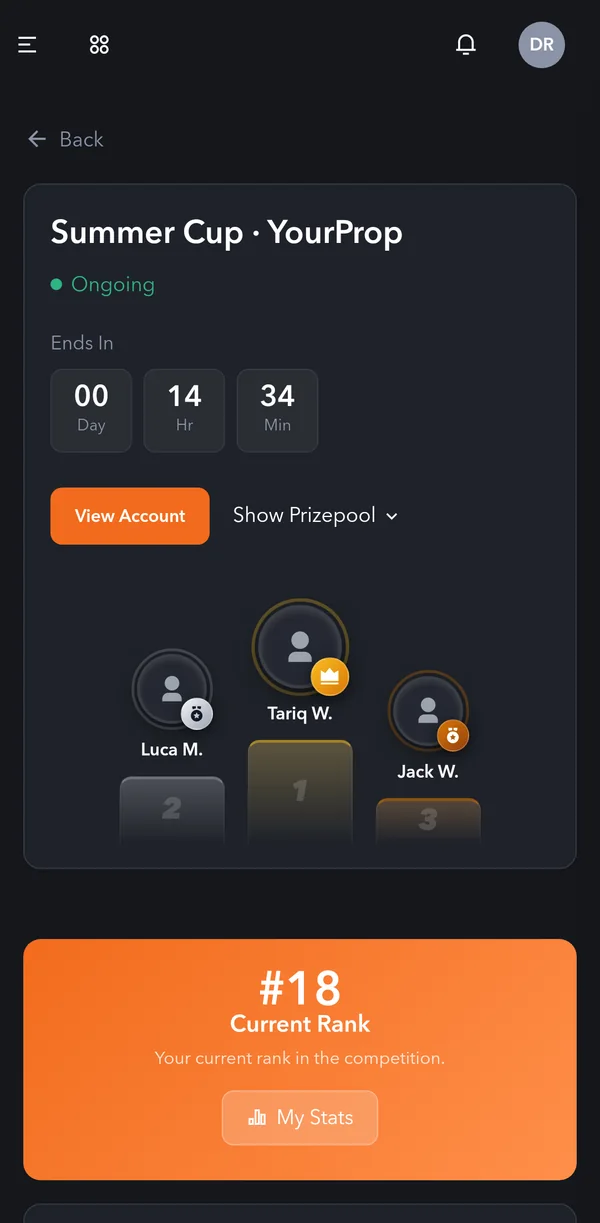
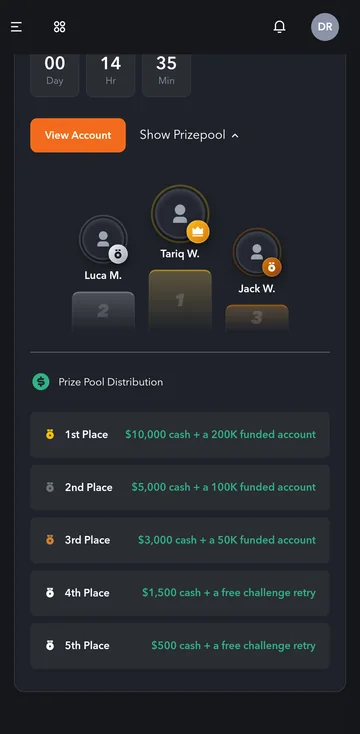
The podium, the trader’s own rank and the leaderboard keep traders coming back between challenges.
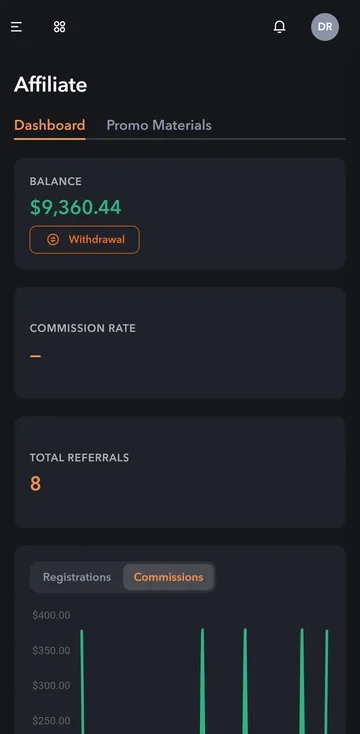
Traders who refer others get their referral link, banners and commission history in the same app.
The app carries your firm’s name and logo, with your own App Store and Google Play listings, and push notifications reach traders directly.
Your challenges are what you sell, and the app puts all of them in front of the trader. It lists the challenges you have set up in the CRM, and traders filter them by account size and by type, such as two-step or instant funding.
Each card shows the rules before the trader commits: trading days, daily and total loss limits, profit target and consistency rule, with the full description behind More Details. The price is on the button that starts the challenge.


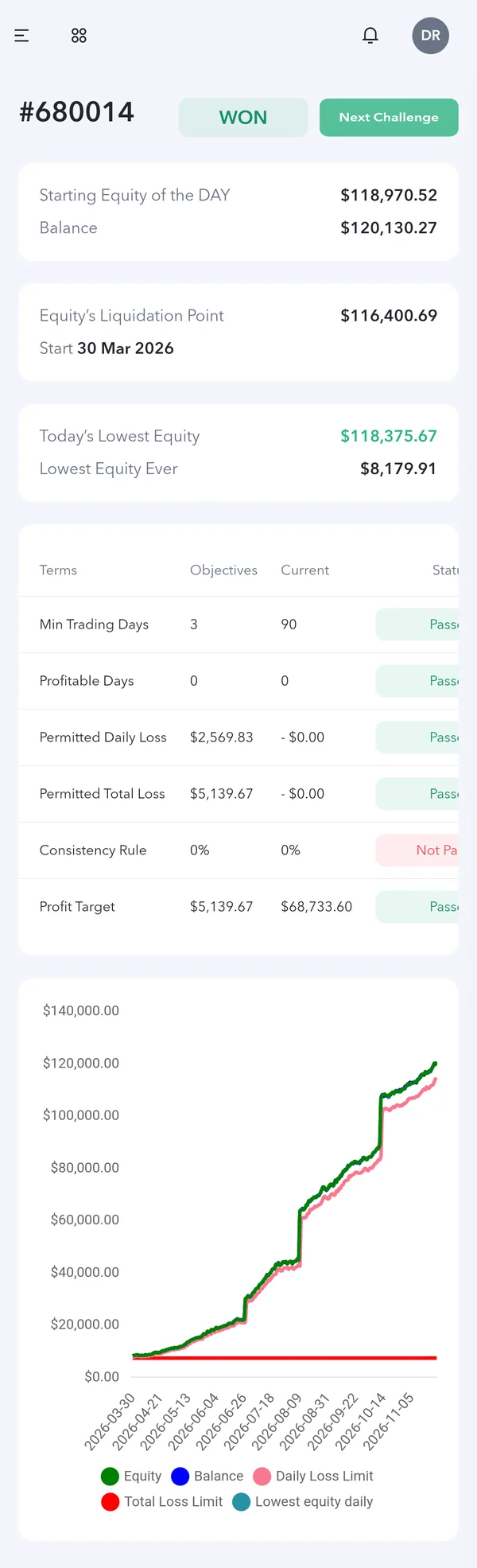
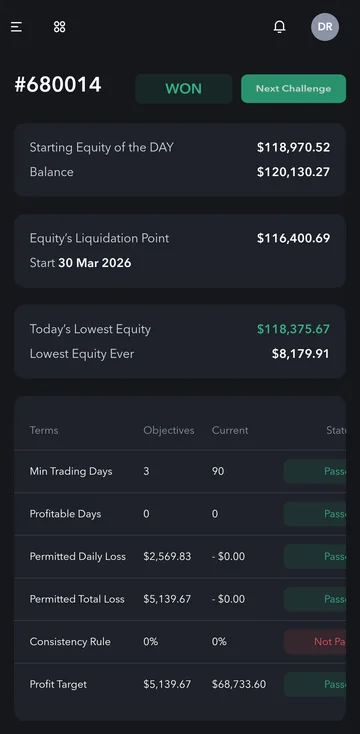
A trader opens a challenge and sees where it stands: the day’s starting equity, the balance, the liquidation point and the lowest equity of the day.
Below that, every objective sits beside its current value with a Passed or Not Passed mark. A chart underneath plots equity and balance against the daily and total loss limits. My Challenges keeps active, won and lost accounts in one list.
Funded traders request a withdrawal from the challenge account itself, through the payment methods you have switched on.
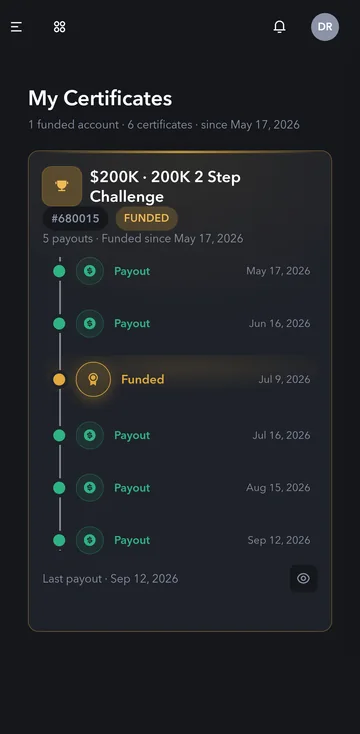
My Certificates keeps a timeline for each funded account: the day it was funded and every payout since. Each entry opens a certificate in the trader’s name, which they can download or share on social media.
Each certificate a trader posts shows their followers that your firm funds traders and pays them.


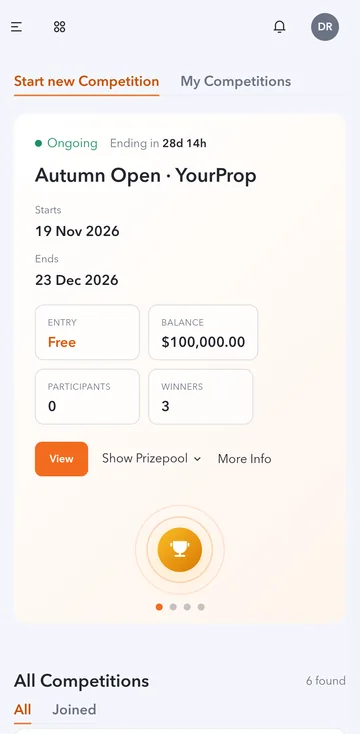
Traders browse your open competitions and see the dates, entry fee, starting balance, number of participants and prize pool for each. To join, they choose a leverage and accept the terms.
Once they are in, the competition page shows the top three on a podium, the trader’s own current rank and the full leaderboard with each participant’s trades and win rate. Finished competitions stay under My Competitions with their results.

Traders who refer others get an affiliate dashboard: a balance with a withdrawal button, total referrals, and charts of registrations and commissions. The commission history lists each referred purchase and what it earned.
Promo Materials holds their referral link with one-tap copy and sharing, banners, and a registration form to embed on a website. It runs on the same multi-level affiliate system as your CRM.


Traders upload their ID, passport and proof of address from the phone, and each document shows its status and expiry date.
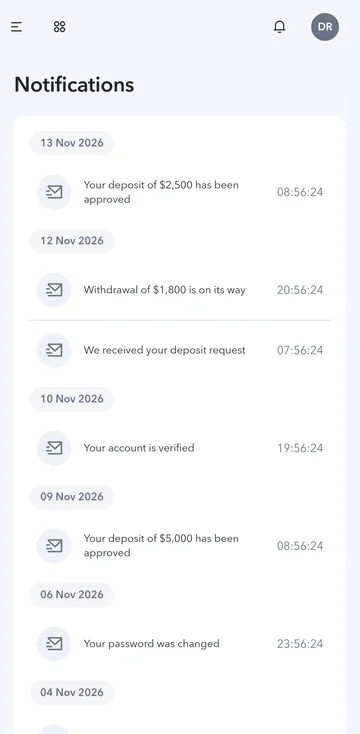
The app keeps a dated history of every message: a payout certificate issued, a withdrawal on its way, a document accepted. Push notifications are included. Support requests are sent by topic without leaving the app.


The app is published under your firm’s name, with your logo, in the App Store and on Google Play. Traders choose a light or dark theme and their language in the profile menu.
Login is biometric, with two-factor authentication available in the security settings. One app covers prop trading, retail forex, or both, depending on how your firm is set up.


The mobile app is one more window onto the Kenmore Design Prop Firm CRM. Challenges, accounts, payouts and affiliate commissions are kept in one place, and traders see the same data on the web and in the app.
One back office for your team. The same challenges and accounts for your traders, on the web and on the phone.
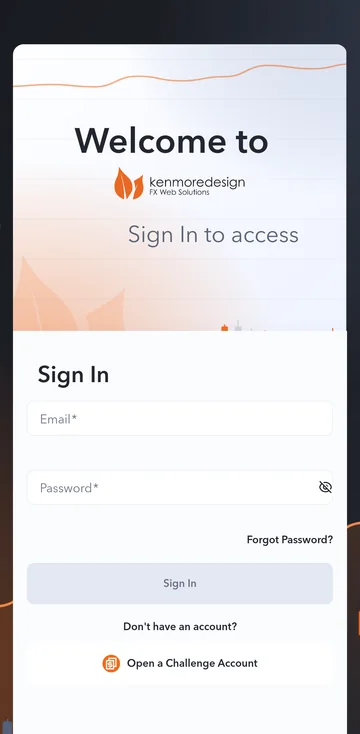
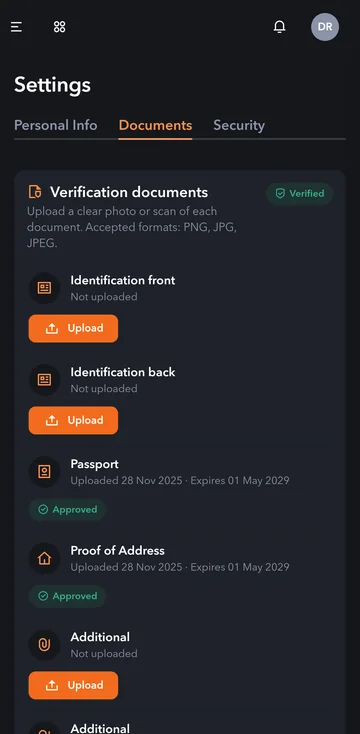
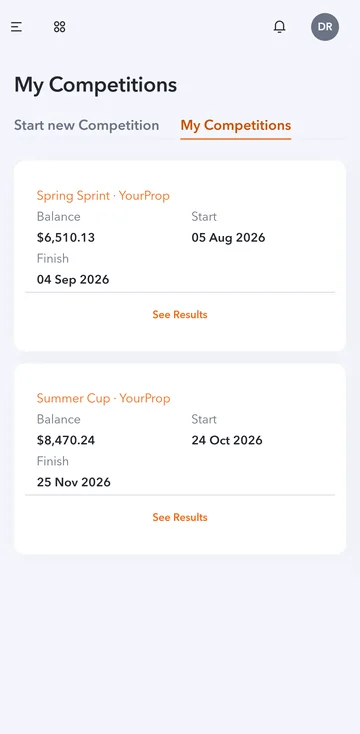
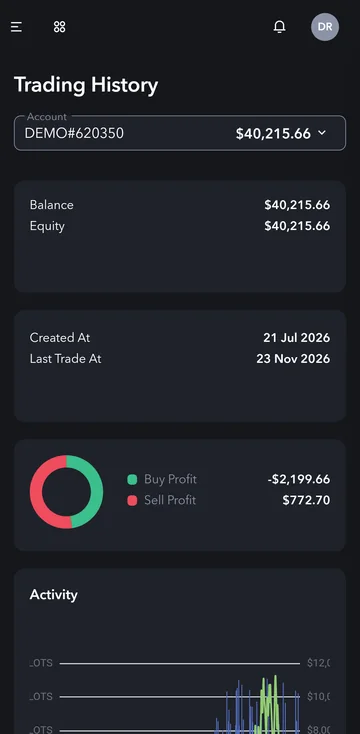
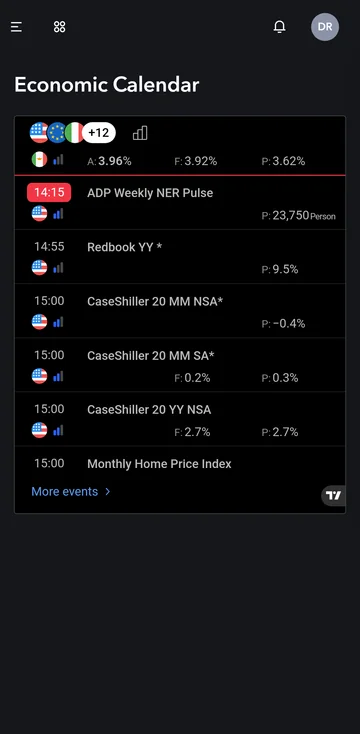
Challenges, objectives, competitions, payouts and certificates are all in one app under your brand.
Install the Android demo and log in with test credentials from our team.
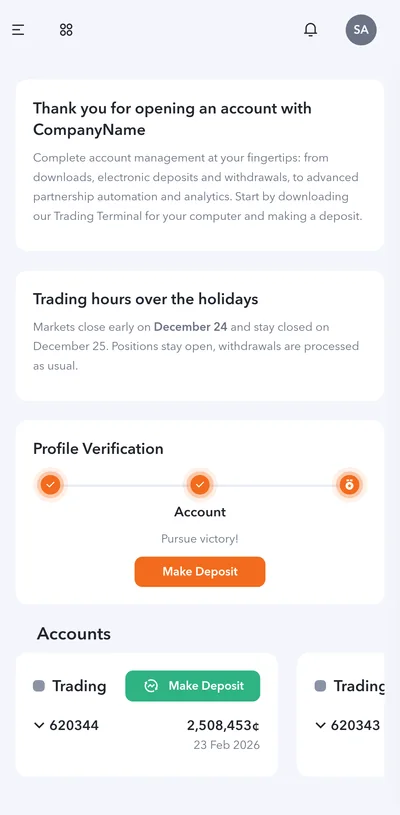
Trading accounts, deposits, withdrawals, IB tools and KYC in the same app.
Forex Broker Mobile AppRun a prop firm, a brokerage or both. Funded challenges and retail trading accounts sit side by side under one login.
One app · One login · One brand
It is a mobile app that a technology provider develops and a prop firm publishes under its own name and store listing. Kenmore Design’s app is a trader and affiliate portal for iOS and Android that runs on the Kenmore Design Prop Firm CRM. It is not a white label of a trading platform.
Yes. It ships for both, published under your firm’s own store listings.
Yours. The app is white-labelled and published under your name and your own store listing.
It runs on the Kenmore Design Prop Firm CRM and shows the same challenges, accounts and payouts as the Prop Firm Dashboard, so your team keeps working in one back office.
No. It mirrors the Prop Firm Dashboard on the web. Traders can use either one and see the same challenges, accounts and payouts.
Yes. Affiliates see their balance, referrals and commission history, share their referral link and banners, and withdraw their commission from the app.
Yes. They choose a challenge and start it in the app, and funded traders request withdrawals from the challenge account.
Yes. One app covers prop, retail forex, or both, depending on your setup.
Download the Android demo from this page and ask us for test credentials. If you are on iPhone, say so in the form and we will arrange iOS access.
Test the Mobile App
Download the Android demo and try it on your own phone.
Download for Android (APK)On iPhone? Tell us in the form and we’ll arrange iOS access.
Need login details? Send us a note and we’ll set you up with test credentials.
Give traders and affiliates an app under your own brand, connected to the CRM you already run. See it on a live demo, or install it and test it yourself.
Book a walkthrough of the mobile app with our team.

Paste this into ChatGPT, Claude, Gemini, Perplexity or any assistant that can read the web. It will read our guide and answer your questions about the CRM in your own terms.
The guide is a plain-text file at kenmoredesign.com/agent-guide.md — open it yourself if you prefer.