


Put Your Brokerage on Your Clients' Phones
Give clients and IBs an app under your own brand, connected to the CRM you already run. See it on a live demo, or install it and test it yourself.
Book a walkthrough of the mobile app with our team.

Kenmore Design builds your brokerage its own mobile app for iOS and Android, published under your brand and your own store listing. It runs on the same CRM as your Trader’s Room, so you have no second back office to manage.
Clients open accounts, pass KYC, deposit and withdraw in the app. Your IBs share referral links and track commissions from it. Push notifications and biometric login are included.
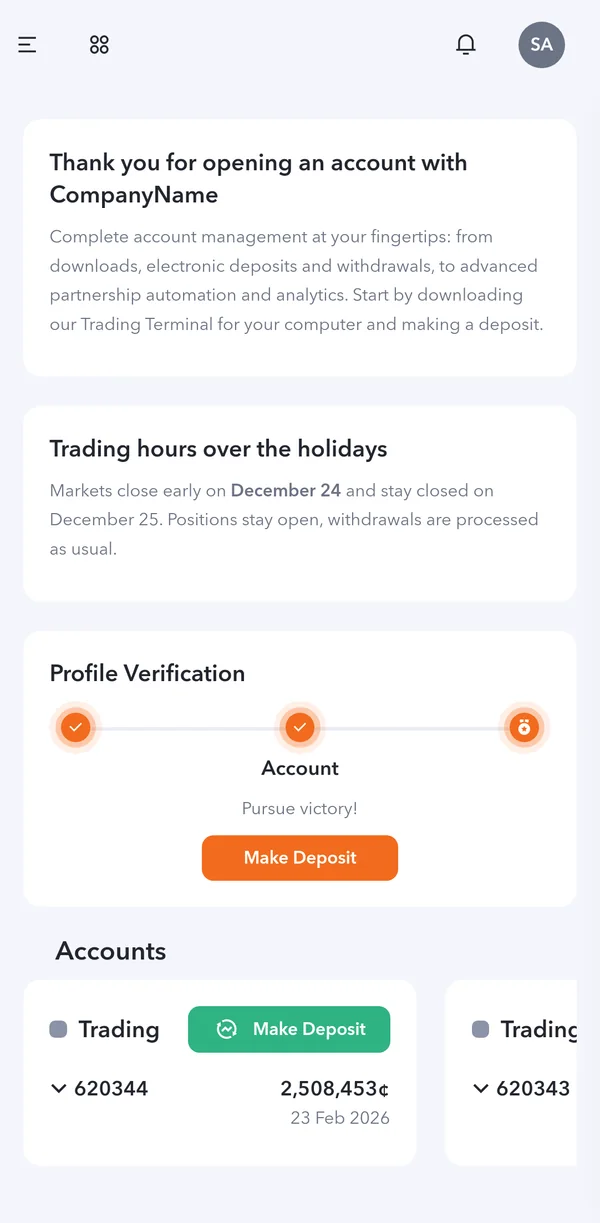
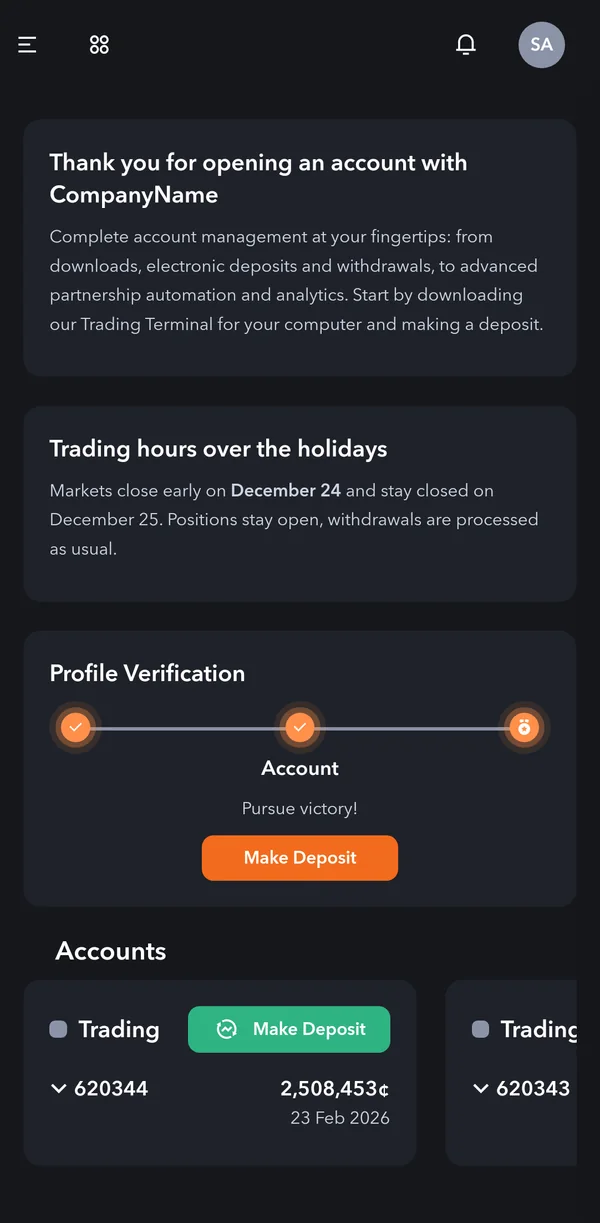
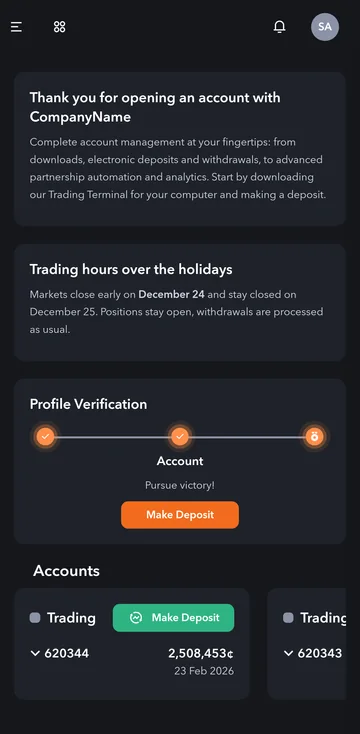
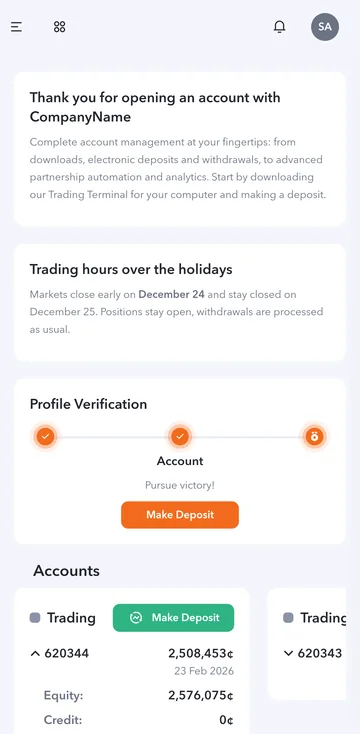
Clients open an account, upload their documents and make a first deposit on the phone already in their hand. A tracker shows them which step is left.
Every trading account has its own deposit button, and the payment methods you have switched on are listed with their fees and minimums.
Clients look up their trading history, their documents and the latest news on a deposit or withdrawal themselves, before they write to your team.
Introducing brokers carry their referral links, banners and commission figures with them and can share a sign-up link wherever they meet a prospect.
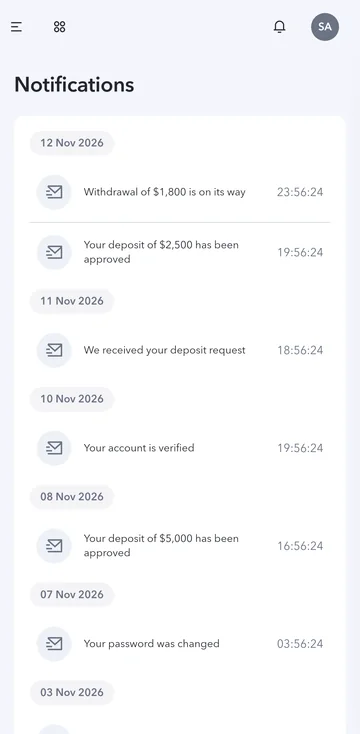
Push notifications reach clients on their phone, and every message stays in the app as a dated history.
The app carries your brokerage’s name and logo, with your own App Store and Google Play listings.
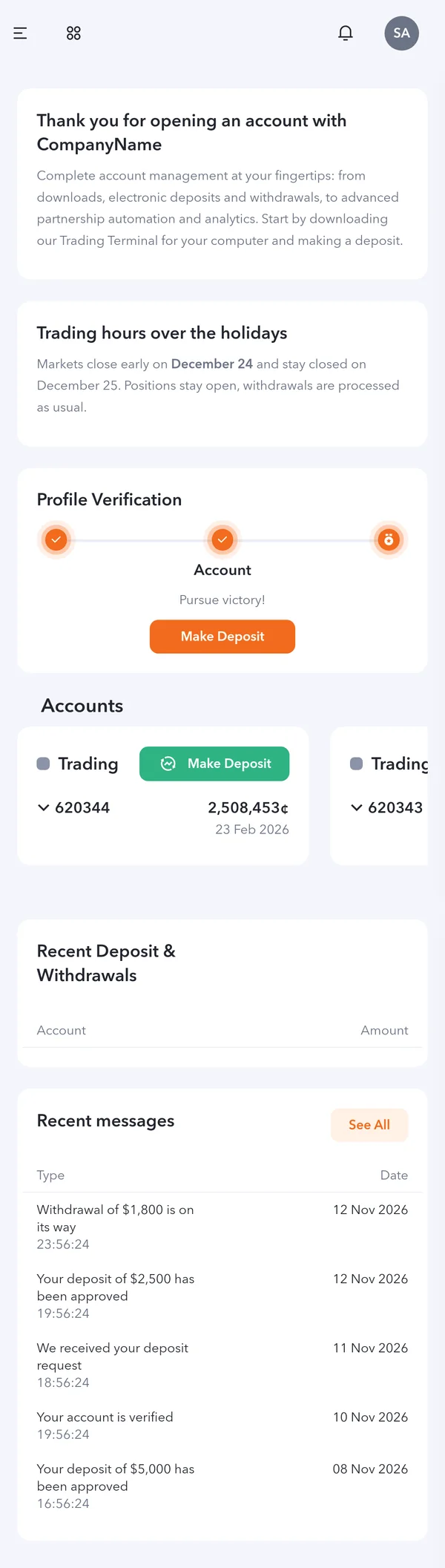
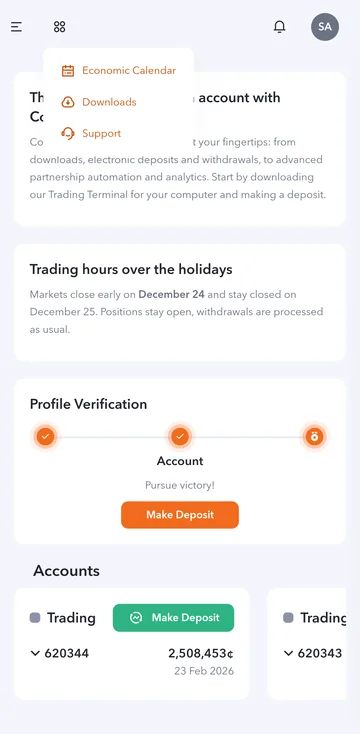
The dashboard is the first screen after login, and the top of it is yours: a welcome message, a notice about holiday trading hours, a prompt to finish verification or make a first deposit.
Below that the client sees each trading account with its balance, equity and credit, a deposit button on every account, and the latest messages about their deposits, withdrawals and documents.
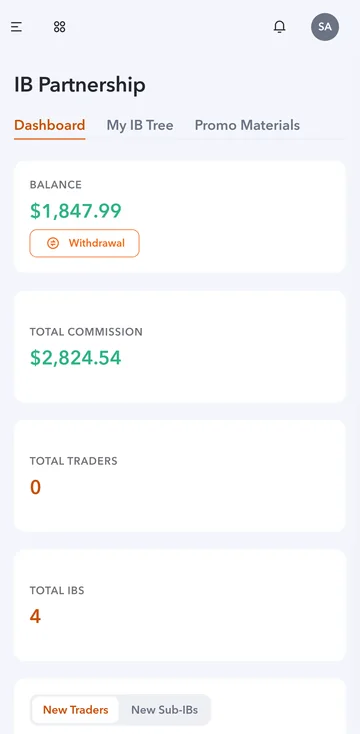
Your introducing brokers bring in clients from their phones, so the app gives them their partner office there. The partnership dashboard shows their balance, total commission, traders and sub-IBs, with a withdrawal button beside the balance.
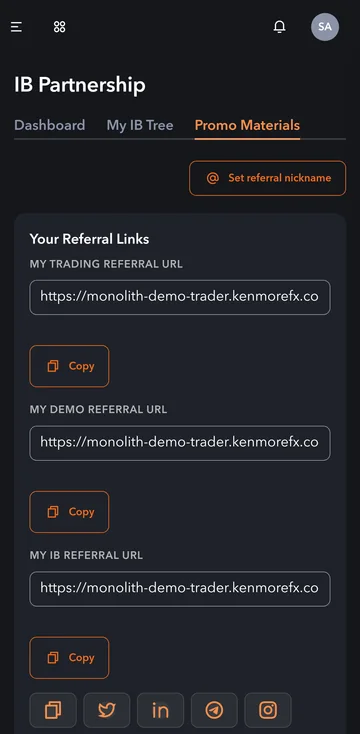
Referral links for live, demo and IB sign-ups can be copied with one tap or shared to social media, and the same screen has banners and a registration form to embed on a website. The app works with the same multi-level IB structure as your CRM.


Clients can check how an account is doing without opening the trading platform or writing to support.
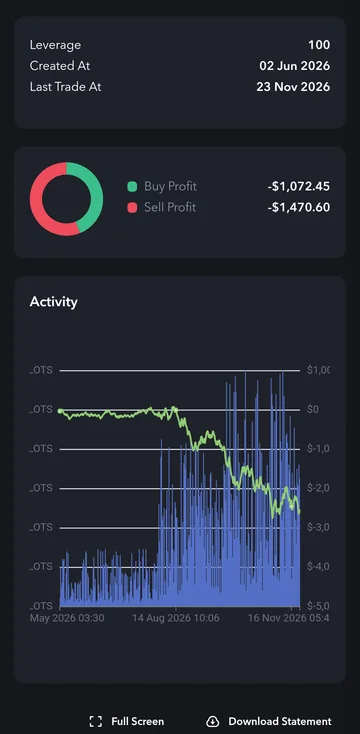
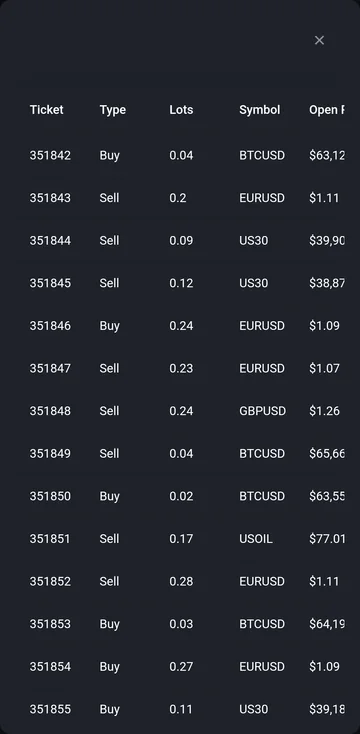
They pick an account and see balance, equity, margin and free margin, profit split between buys and sells, and an activity chart of volume and profit over time. Every trade is listed underneath by ticket, symbol and lot size, and the statement can be downloaded.

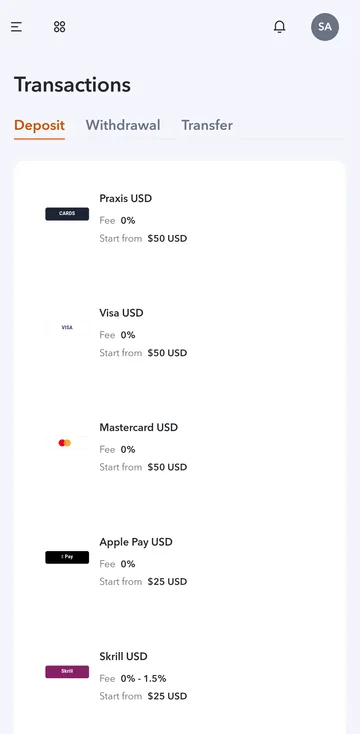
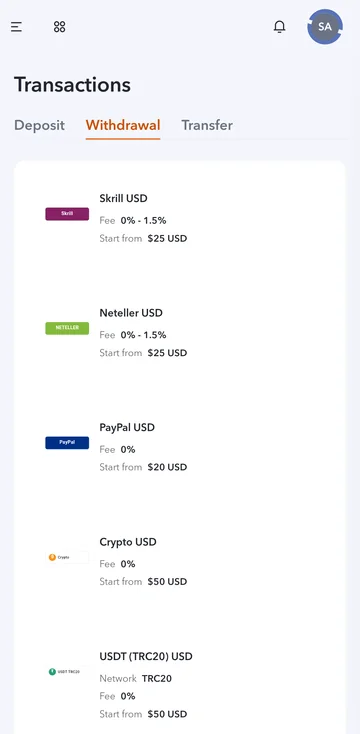
Clients can fund an account wherever they are. The app lists the payment methods you have switched on, each with its fee and minimum amount: cards, Apple Pay, e-wallets, bank transfer and crypto, out of Kenmore Design’s 250+ PSP integrations.
Withdrawal requests and transfers between the client’s own accounts sit on the next two tabs.


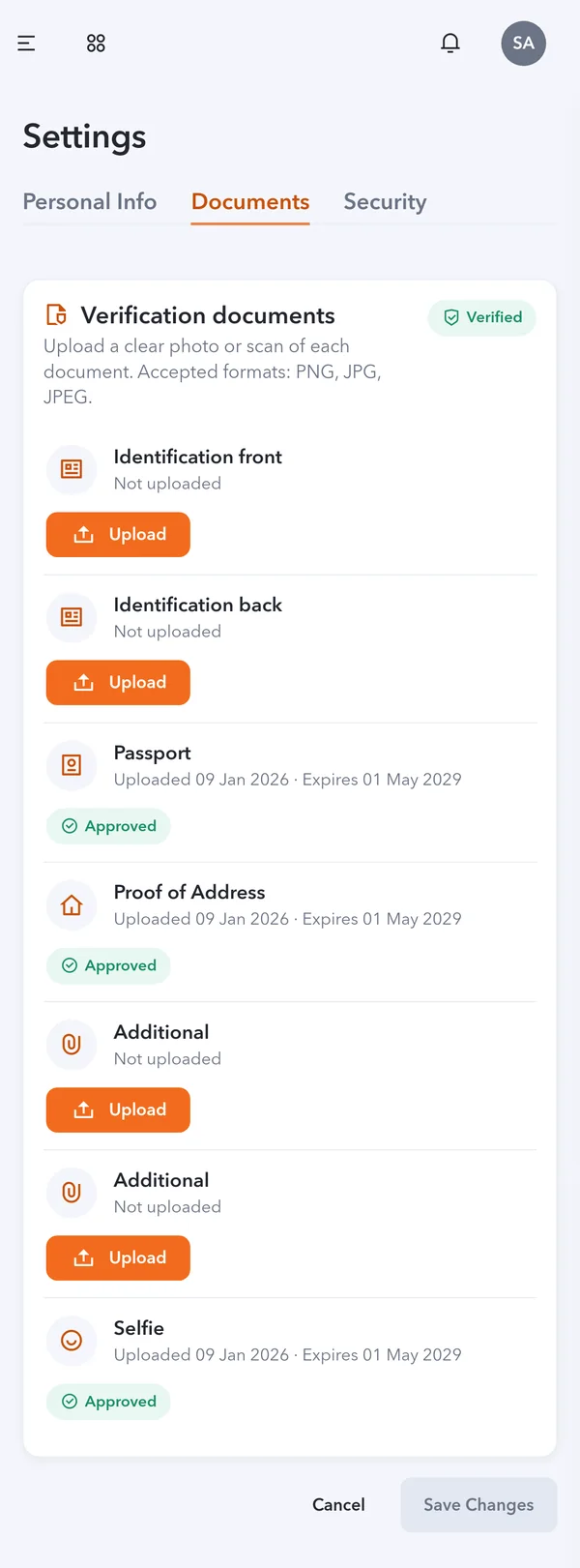
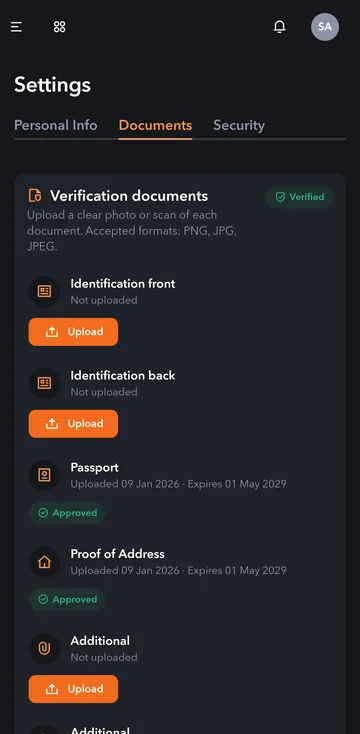
A client who is verified sooner can deposit sooner. Clients upload their ID, passport, proof of address and selfie from the phone, and each document shows its status and expiry date. A tracker on the dashboard tells them which step is left before they can deposit.
Checks run through the KYC providers the Kenmore Design CRM works with: Sumsub, Veriff and others.
Push notifications tell the client when a deposit is approved, a withdrawal is on its way or a document is accepted, before they think to ask. The same messages are kept in the app as a dated history.
When they do need help, they send a support request by topic without leaving the app.


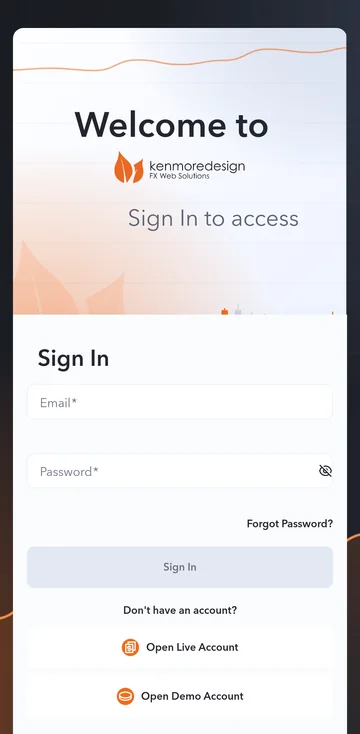
The app is published under your name, with your logo, in the App Store and on Google Play. Clients choose a light or dark theme and their language in the profile menu.
Login is biometric, with two-factor authentication available in the security settings. One app covers retail forex, prop trading, or both, depending on how your brokerage is set up.


The mobile app is one more window onto the Kenmore Design Forex CRM. Clients, payments, documents and IB commissions are kept in one place, and clients see the same data on the web and in the app.
One back office for your team. The same accounts for your clients, on the web and on the phone.
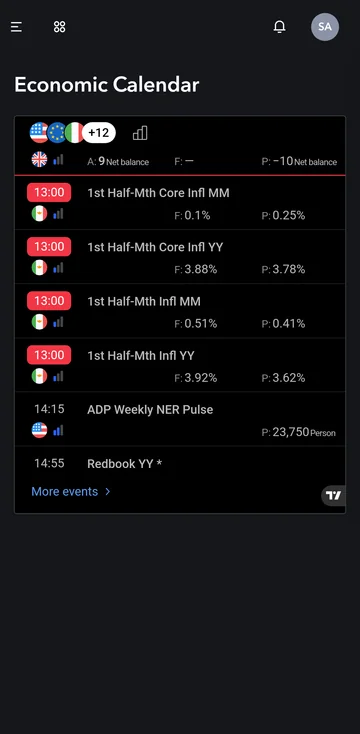
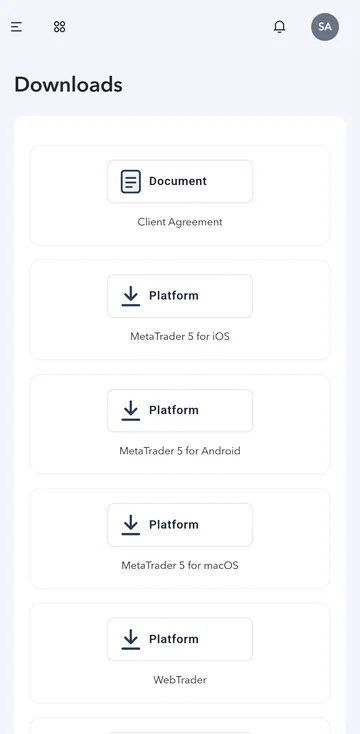
Accounts, payments, trading history, IB tools and documents are all in one app under your brand.
Install the Android demo and log in with test credentials from our team.
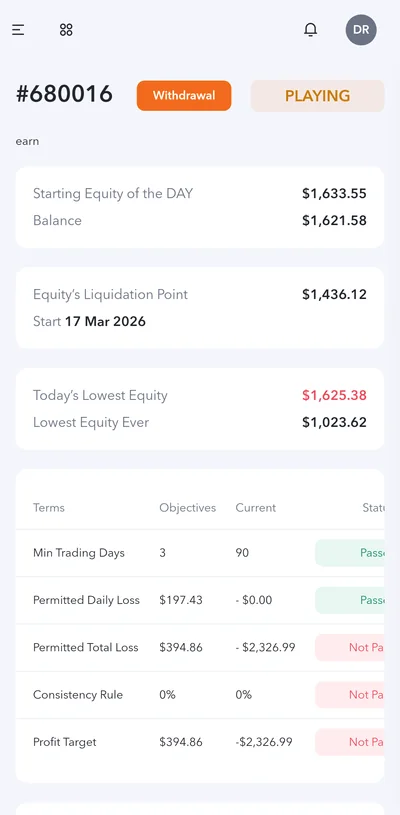
Challenges, competitions, certificates and payouts in the same app.
Prop Firm Mobile AppRun a brokerage, a prop firm or both. Retail trading accounts and funded challenges sit side by side under one login.
One app · One login · One brand
It is a mobile app that a technology provider develops and a brokerage publishes under its own name and store listing. Kenmore Design’s app is a client and IB portal for iOS and Android that runs on the Kenmore Design Forex CRM. It is not a white label of a trading platform.
Yes. It ships for both, published under your brokerage’s own store listings.
Yours. The app is white-labelled and published under your name and your own store listing.
It runs on the Kenmore Design Forex CRM and shows the same accounts, payments and documents as the Trader’s Room, so your team keeps working in one back office.
Yes. IBs see their balance, commissions, traders and sub-IBs, share their referral links and banners, and withdraw their commission from the app.
No. It mirrors the Trader’s Room web portal. Clients can use either one and see the same accounts, payments and documents.
Yes. One app covers retail forex, prop, or both, depending on your setup.
Download the Android demo from this page and ask us for test credentials. If you are on iPhone, say so in the form and we will arrange iOS access.
Test the Mobile App
Download the Android demo and try it on your own phone.
Download for Android (APK)On iPhone? Tell us in the form and we’ll arrange iOS access.
Need login details? Send us a note and we’ll set you up with test credentials.
Give clients and IBs an app under your own brand, connected to the CRM you already run. See it on a live demo, or install it and test it yourself.
Book a walkthrough of the mobile app with our team.

Paste this into ChatGPT, Claude, Gemini, Perplexity or any assistant that can read the web. It will read our guide and answer your questions about the CRM in your own terms.
The guide is a plain-text file at kenmoredesign.com/agent-guide.md — open it yourself if you prefer.