


Reporting in a forex brokerage is not a back-office function — it is an operational one. The decisions that determine trader retention, IB commission accuracy, risk exposure, and marketing ROI all depend on access to accurate, timely data. Manual reporting or disconnected spreadsheets that pull data from multiple systems create the conditions for bad decisions: slow response to at-risk traders, incorrect commission payments, missed risk signals, and marketing campaigns targeting the wrong segments.
This article covers what advanced CRM reporting covers in a forex brokerage context, how the Kenmore Design Reporting Expansion works, and what automated triggers connected to reporting data can do operationally.
Why Standard Reporting Is Not Enough
The core problem with standard brokerage reporting is data fragmentation. Trading platform data lives in MT4 or MT5. Client KYC and account data lives in the CRM. Deposit and withdrawal records live in the payment system. IB commission calculations sit in a separate module. When these data sources are not unified, the reporting team spends more time assembling data than analysing it — and the assembled picture is always lagging behind the current state of the business.
Standard reporting tools that connect to only one data source produce only partial pictures. A report that shows trading volume by account group without showing the deposit history, IB attribution, and KYC status for those accounts cannot answer the questions that matter — which trader segments are most profitable, which IB channels produce the highest-value clients, which onboarding paths lead to the highest long-term retention.
Centralized Data — What Gets Unified
The Kenmore Design Reporting system centralizes data from multiple sources into a single reporting layer:
- MT4 and MT5 trading data — trade history, open positions, equity, volume, group assignments
- Trader’s Room and client account data — registration, KYC status, account type, activity dates
- CRM and sales pipeline data — lead source, sales team assignment, communication history
- Deposit and withdrawal records — payment method, PSP, amounts, dates, status
- IB and affiliate data — referral attribution, commission accruals, payout history
When all of these data sources are accessible from the same reporting layer, the questions a brokerage can answer change fundamentally. Instead of “how much volume did we trade this month,” the reporting system can answer “which IB channel produced the most volume, from which account groups, deposited through which payment method, with what retention profile” — in a single query.
The Reporting Expansion — Real-Time Pre-Calculated Data
The Kenmore Design Reporting Expansion addresses the performance problem that appears when reporting queries run against large trading datasets in real time. Direct real-time queries against MT4 or MT5 server data create load on the trading infrastructure — acceptable at low account volumes, increasingly problematic as the account base grows.
The Expansion processes and pre-calculates data as it becomes available, storing results in an optimised reporting layer that serves queries without placing load on the live trading servers. The result is reports and dashboards that load faster and handle larger data volumes — without degrading trading platform performance during peak periods.
Pre-built reports covering core trading and sales metrics are included. Brokerages can customise existing reports or create new ones based on any available data point — combining trading, CRM, payment, and IB data in any combination the business requires.
Triggers — Turning Reporting Data Into Automated Actions
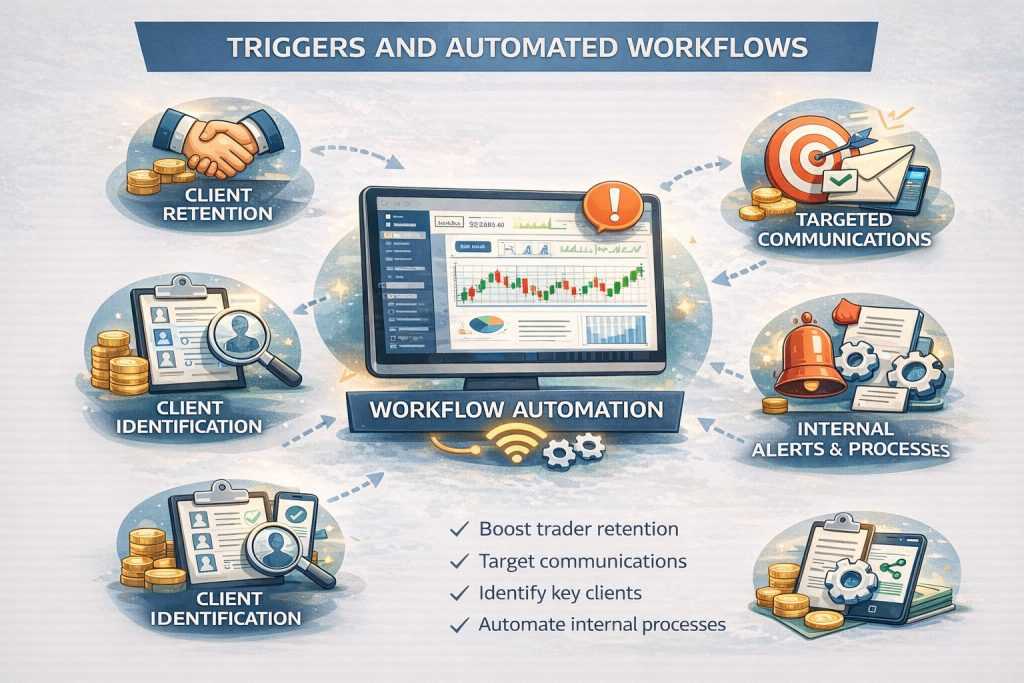
Triggers connect reporting conditions to automated CRM actions — so that when a data threshold is crossed, the system responds without requiring manual monitoring. This is where reporting moves from a passive analysis tool to an active operational system.
Practical trigger examples for forex brokerages:
- A trader who has not logged in for 30 days automatically receives a re-engagement email sequence
- A trader whose trading volume drops below a defined threshold for two consecutive weeks is flagged for sales team follow-up
- A trader who makes three consecutive losing sessions receives an automated educational resource about risk management
- A new deposit above a defined amount triggers an automatic assignment to a senior account manager
- An IB whose referred trader count drops month-over-month triggers a check-in task for the IB management team
For prop firms specifically, triggers connected to challenge account data enable automated responses to evaluation events — a trader who passes phase one automatically receives phase two account credentials and a congratulations communication, without manual processing by the operations team.
Key Reports Every Forex Brokerage Should Run
The specific reports a brokerage needs depend on its business model and growth stage. The reports that provide the most consistent operational value across different broker types:
- Trader lifecycle report — tracks each trader from registration through first deposit, first trade, and ongoing activity. Identifies where traders drop off in the lifecycle and which cohorts have the highest retention rates
- IB performance report — shows referred trader count, active trader percentage, trading volume, and commission generated per IB. Identifies top-performing IBs and IBs whose performance is declining
- Deposit and withdrawal report — shows deposit and withdrawal volume by payment method, PSP, and geography. Identifies payment method preferences by region and flags PSPs with declining approval rates
- Dormant trader report — identifies traders who were active and have stopped trading, segmented by time since last activity. The input for re-engagement campaigns
- Risk exposure report — shows open position exposure by account group, instrument, and direction. Essential for brokers managing B-book exposure
For more on how CRM automation connects to trader retention, see the article on reducing trader churn using CRM automation.

Request a Consultation on Forex CRM Reporting & Automation
Get expert guidance on using advanced Forex CRM reports and automated triggers to gain full visibility into your brokerage performance. We’ll help you design custom dashboards, unify trading and CRM data, and implement event-based workflows that turn insights into action.
Together, we’ll review your reporting needs and outline a data-driven setup that supports smarter decision-making, higher retention, and scalable growth.